Showing posts with label WebApi. Show all posts

Wednesday, 14 February 2018

Azure PASS | App Service | WebAPI


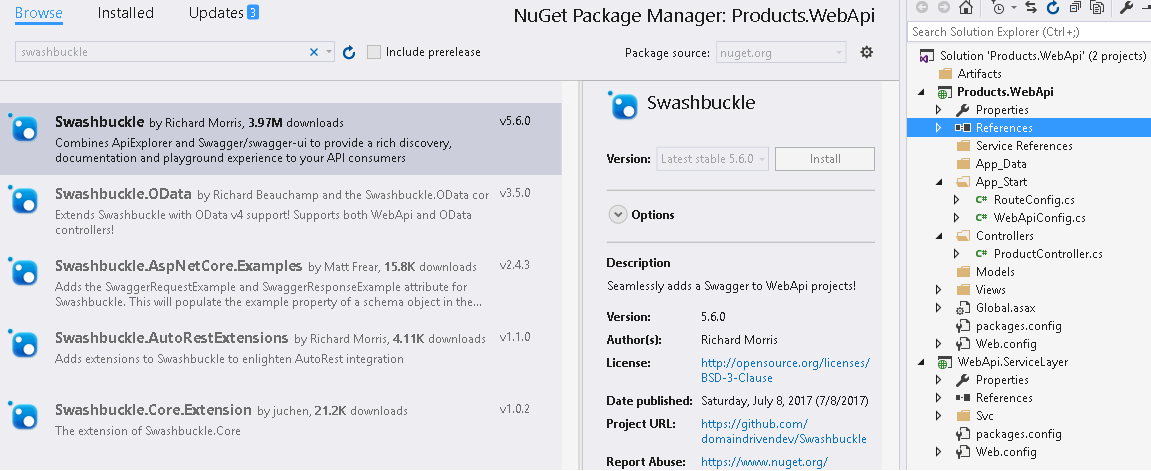
In this article, I would explain how to how Webapi in Azure App Service. Lets add Swagger reference to API project using Nuget Package.

Build and run the API project and nagivate to Swagger index, this page consolidates the API operation and even provides an user interface to test it out

Take the swagger doc and save it as a JSON file. Which can be used later for importing these API operation in Azure APIM.
Lets now, create a Azure App Service from Azure Portal as shown, provide the APP Name and create/use existing resource group.
Once App Service is created, lets create a virtual directory for ProductAPI; under Application Setting. 
Now get the publish profile and modify according to virtual directory and using this publish profile, we would deploy our code base to Azure  App service.
Once the code is deployed successfully we access the api operation from Azure App Service.


Lets test and verify the API's

Friday, 5 August 2016

Restful WebApi Routing | Customizing WebApi Routes

In this article, I would show conventional and attribute based routing. Open WebApiConfig.cs file add new http route as shown below, just to avoid conflict between each route, removed api in the 2nd route table. Framework hierarchically traverse through route table till it finds the match. We should make sure to arrange the route properly to avoid conflicts.
Below screen shot shows the routing of api using ProductAPI and DefaultAPI. Both render same result its just the urls are different.
Lets do a PUT operation using ProductAPI routing table.
Coming back to product controller, lets define the HTTP Verb and ActionName as shown below
Now WebApi operations can be performed using the actionname instead of method names.
Configuring Attribute based routing. I added Route attribute to each method as shown below.
Now, WebApi operations are performed using the route name.

Restful API | Enabling CRUD Operations


This is continuation of previous article, here we will enable POST, PUT and DELETE operations for the webapi. Lets first add support for POST operation, in service layer add new interface method AddProduct and the implementation is shown below. Using EF, we add new entry to the model and render the data requested back to client.
In webapi, lets add POST method which takes Product Model as input parameter, this invokes service layer AddProduct method.
Lets run and test the functionality. In Postman, lets do a post request with a product data and the information is saved in DB.
I made changes in product table to have primary key as ProductID and enabled auto increment for this column. In order update the model, open edmx file right choose update model from database option and in refresh table choose the update and click finish as shown below.
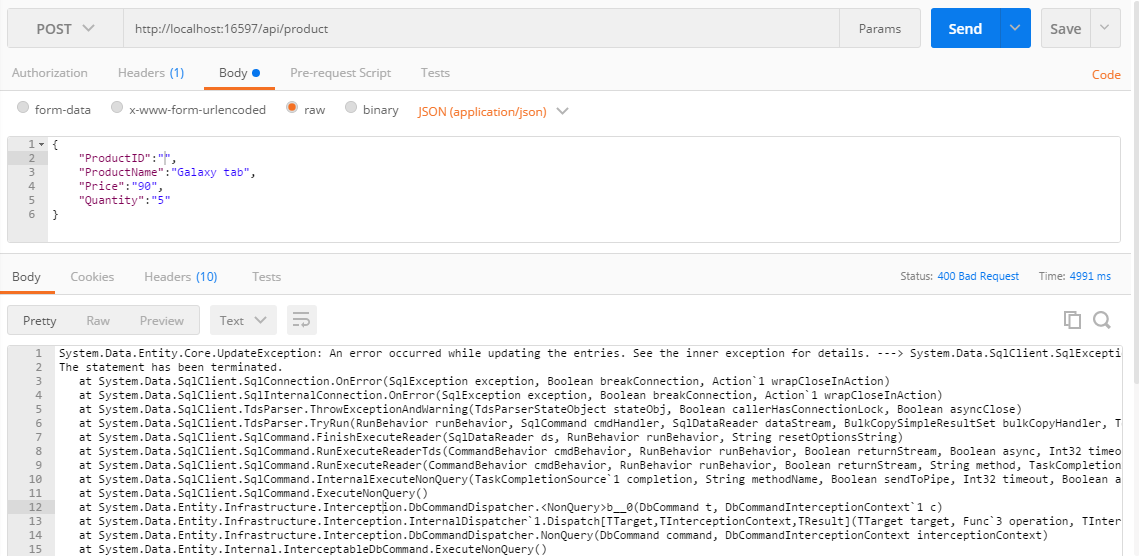
Let try to place once more POST request with invalid ProductID, exception is thrown and http 400 Bad Request status is got back with the exception details.
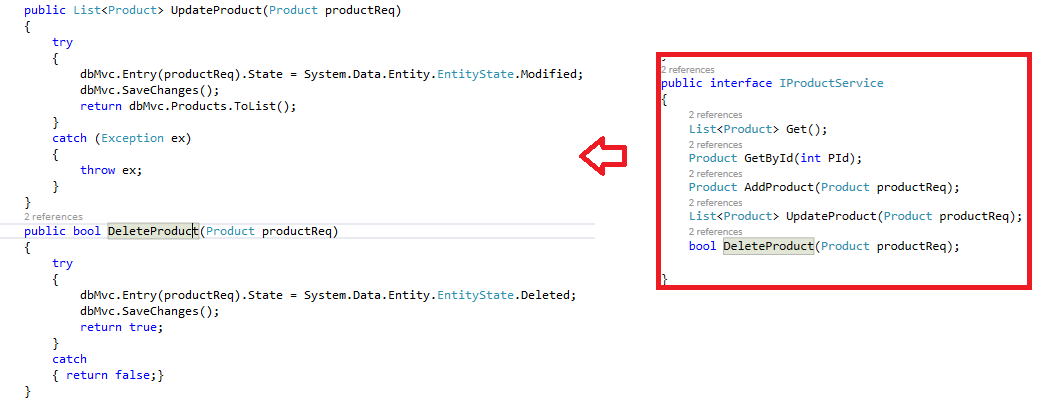
Here is the corresponding changes in interface and implementation to add PUT and DELETE operation.

Let add functionalities to support PUT and DELETE operation in WebApi.
Run and test the project using Postman for PUT and DELETE feature. 

PUT Operation, updated the price and quantity information but this updated the completed record, say all the columns. Best way to do update using EF is to get the data from DB and use it as part of update.
DELETE operation, removed the product 3 from DB.
Restful API with Entity Framework | 3-Tier WebApi

Let create new WebApi using 3-Tier Architecture. Open  VS 2015 >New Projects > Visual C#  >  Web> ASP.Net Web Application and add empty webapi projects for service and then data layers as shown below.
Add EntityFramwork reference using nuget manager in Datalayer. We would build a model from Database (Database First approach)
In datalayer, lets add a new model; right click > add new item > Data > Choose ADO.NET Entity Data Model and provide model name and click add.
Choose EF Designer from DB and provide the connection string and then choose the product table and click finish.
Product model is shown below,
In Service layer, lets add a service interface and  implementation for it, let build webapi for GET Operations
Include reference of datalayer. Here is the service implementation for Get and GetById methods, these methods read the data from the model using EF.
In WebApi project, add a product controller and then include references of service and datalayer. Lets Implement GET operations as shown below,
Run the Webapi project and browse urls as shown below, model is rendered from the product table as shown.
Lets add a breakpoint and hit api/product url.

Similarly, add a breakpoint and hit api/product/2 url.
Let refactor the code for the Get Operation with Id,
Browse for product 3, empty product is rendered

Restful WebApi Getting Started

In this walk through, I would build a webapi for render model data on GET operations.
Open  VS 2015 >New Projects > Visual C#  >  Web> ASP.Net Web Application.
Choose Empty project as shown and enable MVC and WebAPI
In Models folders add class product.cs and define the model as shown
Then in the controllers folder add a new controller and choose Empty WebAPI 2 Controller
Open product controller class and this inherits Api Controller, include reference of model and create object contains product model data. Lets implement HTTP GET verb as shown below, one return complete model and other return specify model based on the model requested for using the Id parameter.
Navigate to WebApiConfig.cs and see the routing configuration.
Lets run the project and you see that webapi isn't available. but its running now navigate to api/product and this renders list of products available and again navigate to the api/product/1 this returns the product model by Id
Using POST-Man, we can test our api as shown below.